ManuscriptPaper
Hand-written data can be made by the sense that writes the character on the manuscript paper.
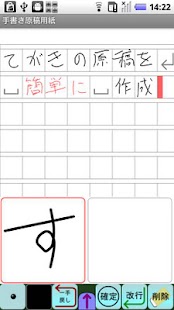
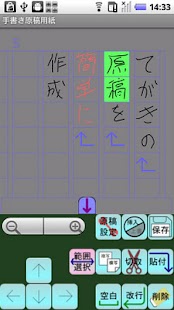
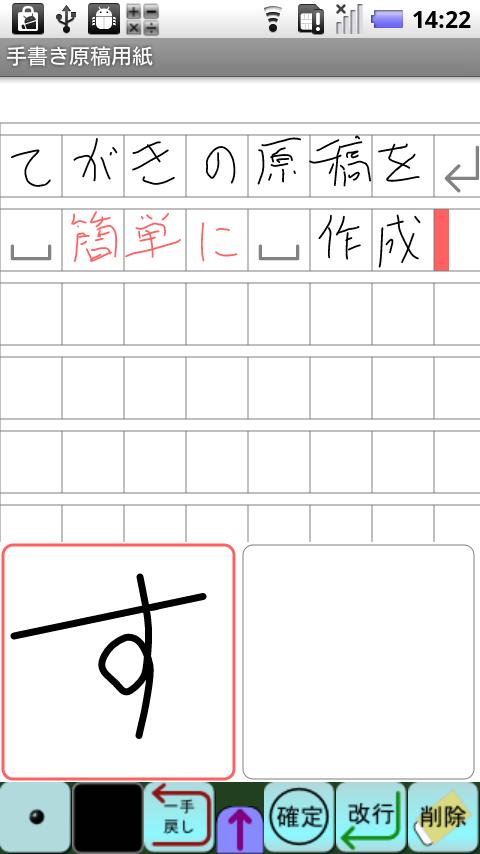
[Input]The character can be input by drawing the line at either in a square input column in two places under the screen by the finger.
The input of the previous state is fixed when it begins to draw the line at the input column on the other side, and it installs on the cursor position of the manuscript paper above.
(It can be fixed by pushing "Fix" button.
)One line can be erased by pushing "Rewind" button while inputting it.
The blank can be input by pushing "Blank" button.
Changing line can be input by pushing "Newline" button.
The character ahead at the cursor position can be deleted by pushing "Delete" button.
The character at the cursor position can be taken by pushing "Get" button.
(The character is cut out for insert mode, and the character is copied for replace mode.
)
The thickness of the line can be changed by pushing the thickness button.
The color of the line can be changed by pushing the color button.
The cursor position can be changed by doing the manuscript on the screen in the tap.
[Enhancing button]The enhancing button can be displayed by pushing the "↑" button under the screen.
It puts into the range selection mode by pushing "Range selection" button, move the cursor, and select the range.
The character string is copied by pushing "Copy" button in the range selection mode.
The character string is cut by pushing "Cut" button in the range selection mode.
The copied character string is pasted at the cursor position by pushing "Paste" button.
The manuscript paper can be set by pushing "Manuscript setting" button.
・Switch of columnar writing and horizontal writing・Switch of background of manuscript form style and letter paper style・Number of characters of lines・Interval of line・Color of background, frame, and cursor
Insert mode can be switched to replace mode by pushing "Insert/Overwrite" button.
・As for the insert mode inside, the input character is inserted in the cursor position.
・As for the overwrite mode inside, the input character is overwrited by the cursor position.
The manuscript data can be preserved by pushing "Save" button.
[Save image]The manuscript data can be preserved as an image.
The font size when it preserves it becomes the same as the display, and adjust it by the expansion reduction, please before it preserves it.
[Share]The image data can be shared, and it use it for the attachment to mail etc.
[Preference]It corresponds to horizontal writing and columnar writing in the portrait when nothing is set.
When "Landscape(Right input)" is turn on, you can use it in the landscape with the input column adjusted to the right side.
When "Landscape(Left input)" is turn on, you can use it in the landscape with the input column adjusted to the left side.
When both are turned on, you can use it in the portrait that turns the screen upside down.
The advertisement is not displayed in a pay version.
- It operates since Android1.6.
- It is a confirmed operation by N-04C,SH-12C.
About ManuscriptPaper
- Package name (App ID)
- com.psc.fukumoto.ManuscriptPaper
- Available on
- Google Play
- Price
- Free
- Version
- v1.0.5
Looking for the ManuscriptPaper APK?
The safest way to get ManuscriptPaper (com.psc.fukumoto.ManuscriptPaper) on your Android device is to install it directly from Google Play — you'll always get the latest official version, automatic updates, and no risk of modified or infected APK files from third-party sites.
Social Features
Connect and share with friends and the community.
Gaming Features
Enjoy immersive gaming experience with various game modes.
Camera Features
Advanced camera features with editing capabilities.
See ManuscriptPaper in Action
Frequently Asked Questions
Is ManuscriptPaper free?
Yes, ManuscriptPaper is free to download and install on Android through Google Play.
How do I install ManuscriptPaper on Android?
Open Google Play on your Android phone or tablet, search for ManuscriptPaper or tap the Google Play button on this page, then tap Install. The app downloads and installs automatically.
What is com.psc.fukumoto.ManuscriptPaper?
com.psc.fukumoto.ManuscriptPaper is the App ID (package name) of ManuscriptPaper on Google Play. Every Android app has a unique package name, and it is the safest way to verify you are installing the official app.
Is ManuscriptPaper safe to download?
Installing ManuscriptPaper from Google Play is the safest option: you get the official version, verified by Google Play Protect, with automatic updates. Avoid APK files from unofficial third-party sites.
Get ManuscriptPaper Today
ManuscriptPaper for Android — free download on Google Play.
Compatible with Android phones and tablets — available on Google Play.
Ask AI about this app
Get instant answers about features, tips and more from popular AI assistants.